

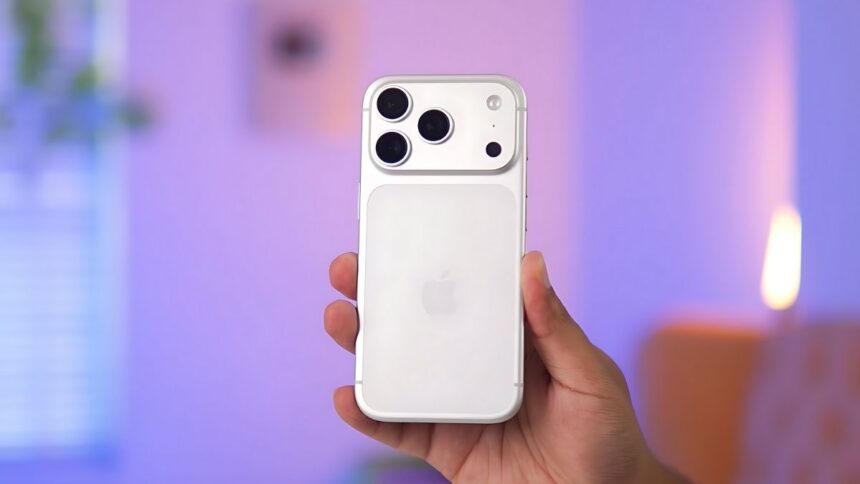
We’ll be discussing the iPhone 17 Pro. We’ll also be talking about over 40 features you probably haven’t heard of yet. Let’s talk about its design and display. After many years, this time you have seen a major change in the design.
Design & Display
- The front display has also seen significant improvements. The bezels are already very thin. You get a 120Hz refresh rate. It is a 6.3-inch LTE display. The quality is strong. Now, its brightness is 3000 nits. So, visibility outdoors will be better. It now offers Ceramic Shield II protection, which is better than before and also has an anti-reflective coating.
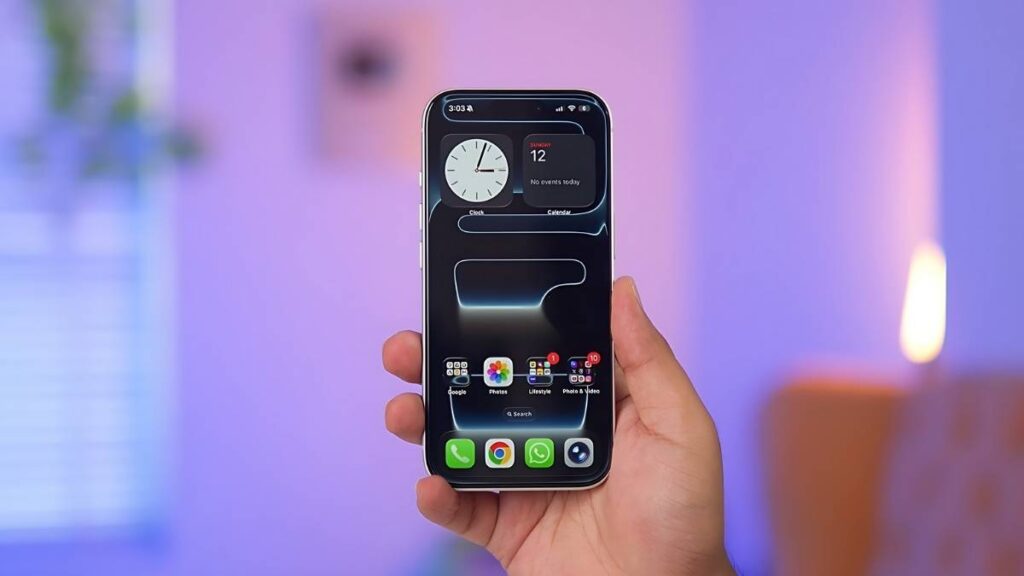
- In Settings, you can enable or disable it under Display & Brightness. You can also control the animations that appear on the AOD. Basically, the AOD looks exactly like your screen, and it looks very nice. Another big change that came with iPhones this year is the new iOS 26. The Liquid Glass animation in it looks very nice.
- This glass animation is there. Whenever you are scrolling in the notification panel or you are opening something, you will get this glass animation in the background. Even if you look inside the dialer, you will see this glass animation in these types of options.
Liquid Glass Animation
I find this new wallpaper, especially for the Pro series, very beautiful. With these glass animations, when you go to the AOD or unlock your phone, you will see some really cool animations on the screen for this wallpaper.
In the settings, under Accessibility, there is a head tracking feature. If you enable it, you can touch the phone with your face movements. You don’t have to actually touch the phone. What’s more interesting are the actions here.
Head Tracking & Accessibility
All you have to do is long tap on the app. You need to set Require Face ID. If you select only Require Face ID, it will only be locked; it will remain visible. If you select “Hide and Require Face ID”, the app will disappear from your app drawer.
A new AI feature has been around for a long time on Android. Now, it’s a feature called “Circle to Search.” Basically, if you capture a screenshot and tap on the screenshot, you can select something within it. Then you’ll find that feature within it.
Apple Intelligence & New AI Tricks
You could say Apple Intelligence. There aren’t many major upgrades this time. You’ll still get the same features you used to get before.
Camera & Video System
If you look at the primary images from the ultrawide angle, you will see them. Even if you look at the 4X angle, it captures all the images with excellent details. Even the front camera seems to be much improved this time. Regarding video, the primary camera can shoot up to 4K 120p, while the others can shoot up to 4K 60p. You can also shoot pro resolution videos in ROG mode or HDR mode. First, let me show you the new UI of the camera. It now has a full glass UI. Basically, all your modes are visible here.
If you want to capture slow-motion video, you also get a direct mode called SloMo, where you can capture slow motion up to 4K 120 FPS or even HD 240 FPS. However, if you don’t want to go that far, you can record 120 FPS video directly within the video. After shooting the video, you can adjust its speed in Edit. Yes, if you want to capture raw images and video in Pro Resolution, these are not enabled by default.
Battery & Performance
In Settings, if you go to Camera and go to Formats, you can capture Pro photos from here. Basically, if you want to capture raw images, there is a Pro Res option at the bottom. If you want to capture raw video in HDR or LK, you can enable them here. The battery has also been improved in the iPhone 17 Pro. You will now get a capacity of almost 4000 mAh.